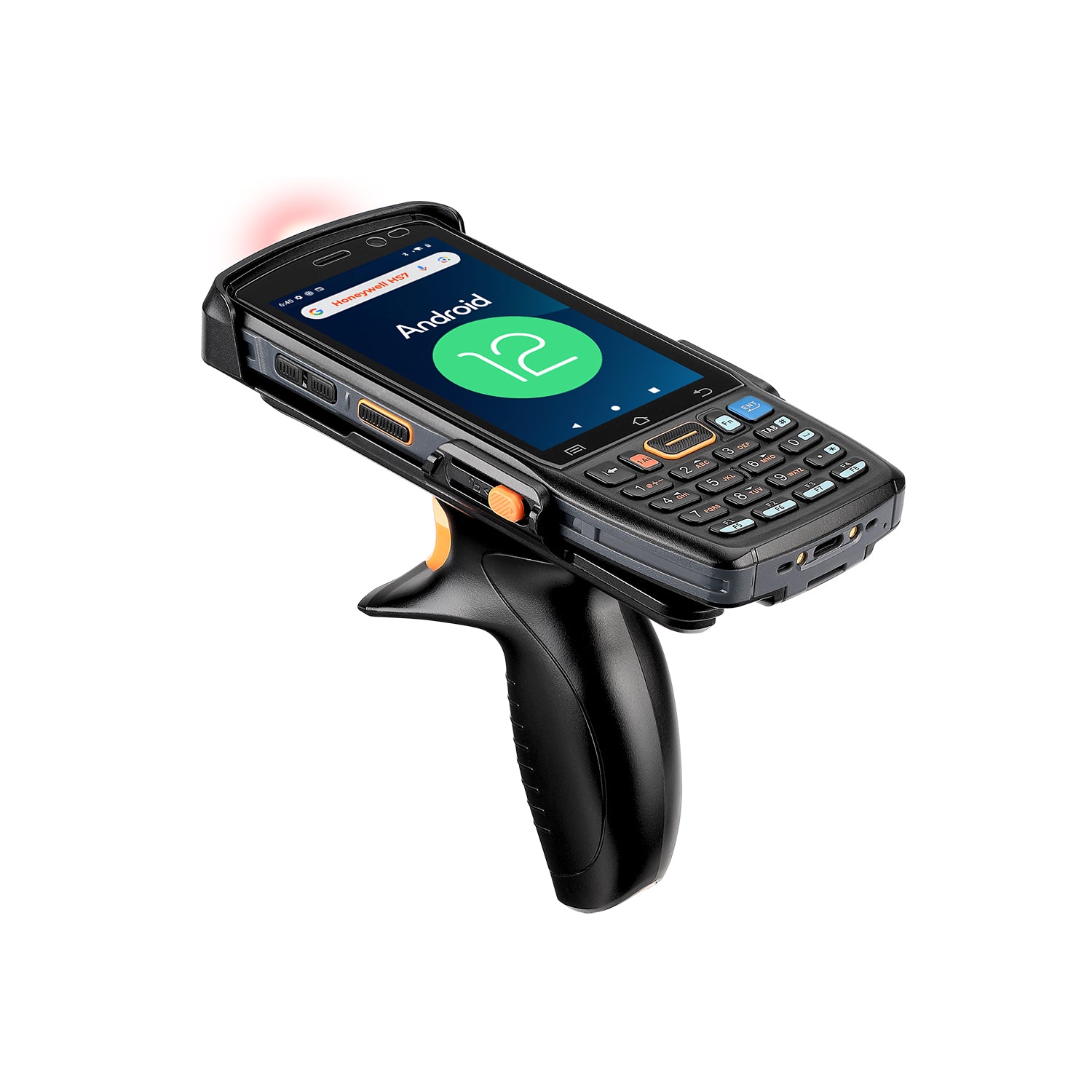
MUNBYN IPDA100P Android barcode scanner with 2D barcode reading in black, front view showing ergonomic design and scanning window
MUNBYN IPDA082P Android Handheld Scanner
$499.99

Product details

Review the key specifications before choosing the right product.

Product overview
SKU
IPDA100P-2D-BK-US
Model
IPDA082Pro
Product Dimensions
164.5mm× 68.6mm×17.5mm
Weight
240g/8.47oz (include battery)
Display Screen
4″ WVGA (480 x 800 pixel) TFT-LCD Screen brightness: 280nit
Operating System
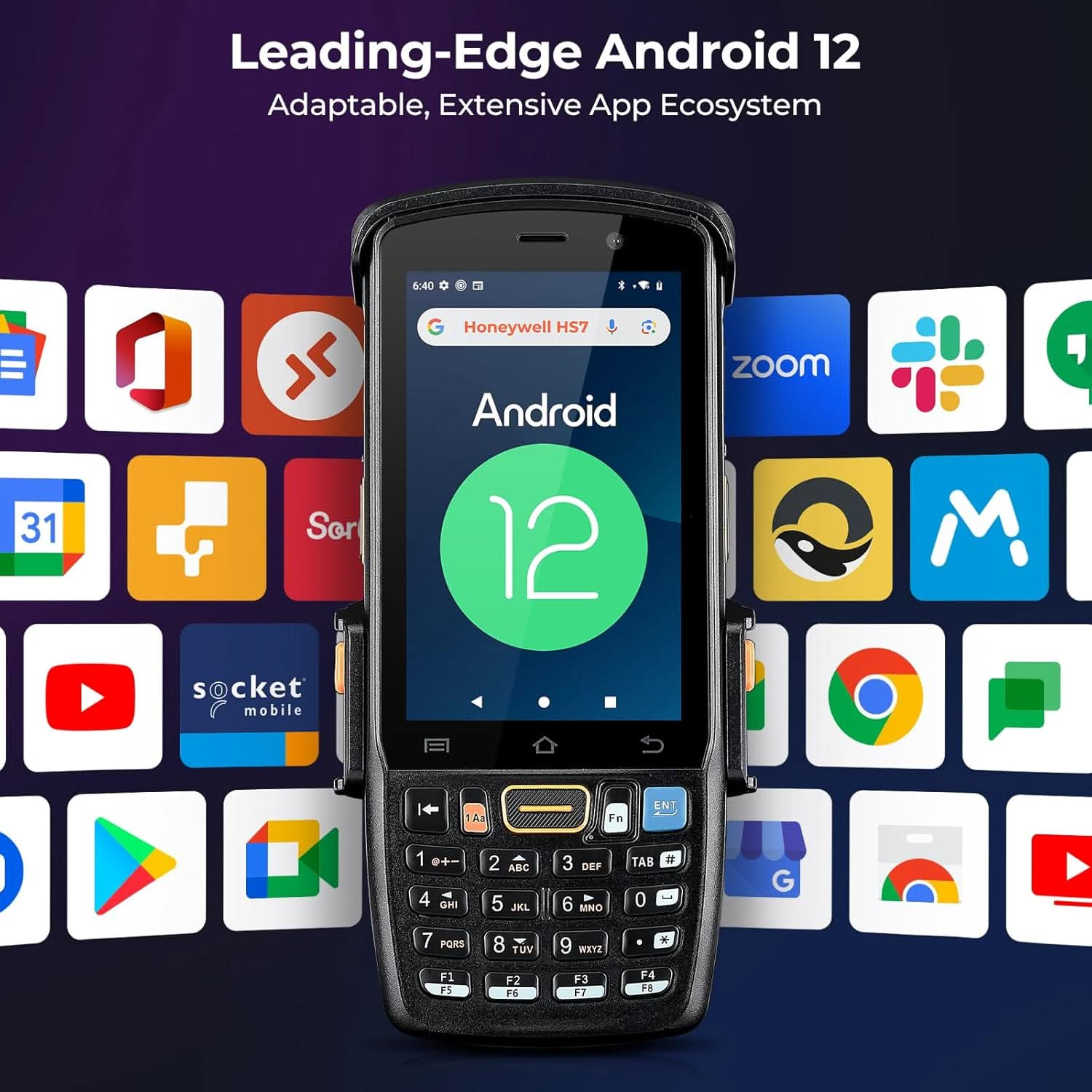
Android 12
CPU
Octa-core 1.8GHz (Qualcomm SnapdragonTM450 SDM450)
RAM + ROM
3GB + 32GB
Expand Memory
Micro SD card extension, up to 128GB
Battery Capacity

Rechargeable 3.8V/4500 mAh Li-Ion battery

Camera
Rear camera 13MP
More specifications
Expand Port
2×Nano-SIM slots
Interface
USB Type-C, Pogopin 9 pin, 3.5mm Audio Jack
WLAN

EEE802.11a/b/g/n/ac/d/e/h/i/k/r/v/w;IPv4,IPv6

WWAN (America)

TD-LTE(B40)
4G:FDD-LTE(B1/B2/B3/B4/B5/B7/B8/B12/B17/B19/B20/B28A/B28B)
3G:WCDMA ( B1/B2/B4/B5/B8)
2G:GSM/EDGE/GPRS(850/900/1800/1900)

Bluetooth
BT4.2+BR/EDR+BLE
GNSS
GPS, Beidou, Glonass, support A-GPS
NFC

ISO14443 Type A and B; Mifare/FelliCa and
ISO15693 cards;Reader mode, P2P mode and
Card Emulation

2D Imager Scanner

Honeywell HS7

1D Symbologies

UPC/EAN, Bookland EAN, UCC Coupon Code, ESSN EAN, CODE 39, CODE 128, GS1-128, ISBT 128, Trioptic Code 39, CODABAR, MSI, Interleaved 2/5, Discrete 2/5, Chinese2/5 , Korean3/5, Matrix 2/5, CODE 32,CODE 93, CODE 11, Inverse 1D, GS1 DataBar, Composite Codes

2D Symbologies

PDF417, MicroPDF417, Data Matrix, Data Matrix Inverse, MaxiCode, QR Code, Aztec, Aztec Inverse

Drop Specifications
1.5m drop tested
Operating Temperature
-20~60℃ (-4°F~140°F)
Storage Temperature
-40~70℃(-40~158℉)
Service Warranty
MUNBYN is dedicated to providing high-quality products and exceptional customer service. This product comes with a 2-year warranty against manufacturing defects for the original purchaser. For bundled product purchases, the warranty period for each individual item is governed by our Warranty Policy. To gain a complete understanding of all our warranty terms, we encourage you to visit our Warranty Policy page.
Box contents
  1. Handheld Terminal Device
  2. Adapter
  3. USB Cable
  4. Screen Protector
  5. User Manual
Warehouse staff using a handheld scanner near stock shelves, with IPDA082P feature icons.

PROOF 01 /BUILT AROUND YOUR WORKFLOW

Bring Stock Checks to the Warehouse Floor

Scan incoming goods, check shelf quantities, and review item records on one handheld. The IPDA082P combines barcode capture with Android apps and a physical keypad, helping workers keep information close to the task instead of returning to a separate workstation for every update.

IPDA082P with Android 12, 3GB RAM, 32GB storage, and a Qualcomm SDM450 processor illustration.

PROOF 02 /APPS AND SCANNING TOGETHER

Keep Daily Inventory Tasks on One Device

Android 12, a Qualcomm SDM450 processor, and 3GB RAM with 32GB storage support everyday inventory workflows. Open a compatible app, capture a barcode, and review the record on the handheld. Test your chosen software and scan settings before equipping the rest of your team.

Honeywell HS7 scanning illustration with the IPDA082P scan window and several barcode formats.

PROOF 03 /CAPTURE LABELS WHERE YOU WORK

Turn Barcodes into Useful Item Records

The Honeywell HS7 engine reads common 1D and 2D formats, including UPC, Code 128, QR, and Data Matrix. Use it for receiving, picking, and stock checks, then send the captured value into your configured app. Readability depends on the label and scanning conditions.

IPDA082P shown with blue wireless signal graphics to illustrate Wi-Fi connectivity.

PROOF 04 /CONNECTED ON THE FLOOR

Update Records over Your Facility Wi-Fi

Connect to a compatible 2.4GHz or 5GHz Wi-Fi network while receiving goods or checking stock. With your inventory app configured, workers can access records where the job happens. Plan coverage across aisles and work areas; connection quality depends on the network and building layout.

Bluetooth 4.2 chip illustration representing wireless connectivity on the IPDA082P.

PROOF 05 /WIRELESS PERIPHERAL OPTIONS

Pair Compatible Tools for the Task

Bluetooth 4.2 gives you a wireless connection option for supported peripherals. Pair the device your workflow needs, confirm the required app settings, and test data exchange before deployment. Peripheral support depends on the accessory, Bluetooth profile, and software rather than Bluetooth availability alone.

Front of an IPDA082P handheld scanner displaying NFC against a dark blue signal graphic.

PROOF 06 /CONTACTLESS DATA CAPTURE

Add NFC to a Configured Workflow

Use NFC with supported cards or tags to bring contactless identification into your workflow. Set up a compatible app and test your chosen tag format before rollout. NFC hardware alone does not make the IPDA082P a payment terminal or guarantee access to every card system.

Hand holding an IPDA082P displaying a route map to illustrate location-enabled workflows.

PROOF 07 /LOCATION FOR MOBILE WORK

Keep Location Information Within Reach

GPS support lets compatible apps use location information during outdoor data collection and logistics work. View the route or location details your app provides while keeping scanning on the same handheld. Positioning accuracy and availability vary with satellite visibility, surroundings, and the app's map services.

Gloved hands operating the physical keypad on an IPDA082P handheld scanner.

PROOF 08 /PHYSICAL KEYS FOR DAILY ENTRY

Enter Quantities with a Gloved Hand

The physical keypad offers a practical way to enter quantities and confirm actions between scans. Its tactile keys help workers keep using familiar controls when wearing suitable work gloves. Test the gloves used on your site, since keypad operation and touchscreen response can differ.

IPDA082P handheld scanner with water droplets and splashes, illustrating its protective enclosure.

PROOF 09 /PROTECTION FOR DEMANDING SETTINGS

Handle Dust and Splashes with Confidence

The IP67-rated enclosure adds protection against dust and temporary water immersion for demanding work environments. It helps the handheld fit tasks that move beyond a clean desk. Follow the device's care guidance and close protective covers correctly; water resistance does not mean every exposure is safe.

Download the Digital User Guide


User Manual 

Download Now >>

Our Partners

  • 5 stars: 4 (100%)
  • 4 stars: 0 (0%)
  • 3 stars: 0 (0%)
  • 2 stars: 0 (0%)
  • 1 star: 0 (0%)
J
J B.G.
A must have tool for inventory processes!

This scanner may seem somewhat expensive, but if you have managed businesses with lots of inventory to count on a regular basis, you would value it more. I manage two businesses that require scanning for tracking, ordering, profit and loss statements, and so on. I ordered this one for my wife to see if she can make her business more efficient. With hundreds of items such as shoes, clothing, designer bags, and so on, she seems to always struggle keeping track of what she has and listing them on her multiple online sale stores. I am used to PDI systems in the convenience stores I manage so as I learn more from this product, I may be able to make more informed comparisons to see if it would be a fit for me too I my future personal endeavors. This runs on Android 12 and is compatible with so many apps and systems available. Besides, Honeywell is a name I trust.

C
Customer R.
High end scanner

This barcode scanner immediately impressed with its high quality construction and appearance. The hardware is elegantly designed and the scanner is very comfortable in the hand when using the included grip. There is a lot more functionality than I require right now but that is good to have for potential use. It's essentially a little computer not unlike a smartphone and it can run software such as InFlow, Zoho, Sortly, Odoo, Orcascan, etc to help track inventory. Overall it's an impressively capable barcode scanner.

H
HB
Quick setup.

Great product, super fast!!!

F
FBFL95
Excellent Device, Perfect for Book Sellers

I sell books on a few different sites and this device is a big upgrade for scanning barcodes. Previously I ran a bluetooth scanner that connected to my phone, and that just added extra steps and motions to the process that was unnecessary. I've found approximately a 15% increase in speed since I upgraded to this device.Battery life is good and the handle is comfortable. The only change I would make is the keyboard, I do wish it was QWERTY.

FAQs

Please read our FAQs page to find out more.

What is the MUNBYN IPDA082P Android handheld scanner used for?

The IPDA082P Android handheld scanner is built for warehouse inventory, retail stock counts, logistics, order picking, and outdoor data collection. Its compact keypad design is useful when workers need both barcode capture and frequent numeric entry.

Can the IPDA082P handheld scanner run Android inventory apps?

Yes. It runs Android 12, is Google Mobile Services certified, and supports apps such as inFlow, Zoho, Sortly, Odoo, and Orca Scan. Teams should test any specialized app before a large deployment.

What barcodes can the IPDA082P Honeywell HS7 scanner read?

Its Honeywell HS7 engine reads a broad range of 1D and 2D formats, including UPC/EAN, Code 128, Code 39, PDF417, Data Matrix, QR, and Aztec. It is also designed to capture damaged or poorly printed labels.

How far can the MUNBYN IPDA082P scan a barcode?

For a 20 mil Code 39 label, the typical reading distance is up to about 0.86 m (2.8 ft). Actual range changes with barcode size, symbology, contrast, print condition, and lighting.

Does the IPDA082P Android handheld scanner support dual SIM and Wi-Fi?

Yes. It has two nano-SIM slots and supports 4G cellular data, Wi-Fi 5, Bluetooth, and GPS. This helps maintain data access across indoor warehouse and outdoor logistics workflows.

How water- and drop-resistant is the IPDA082P scanner?

The IPDA082P mobile scanner has an IP67 rating and is tested for 1.5 m (4.9 ft) drops. Its enclosure is designed to resist dust and temporary water immersion, making it suitable for demanding warehouse and field environments.

What battery and storage does the IPDA082Pscanner include?

It uses a 4500mAh rechargeable battery and includes 3GB RAM with 32GB of storage. A microSD card can expand storage by up to 128GB for apps and collected data.

How do I set up the IPDA082P Android scanner for inventory scanning?

Connect the device to Wi-Fi or mobile data, install your supported inventory app, and configure the scan output for the fields your workflow uses. Test several 1D and 2D labels before deploying the same settings to additional devices.

Free shipping and returns