


 United States
 Best Seller
 Label Printers
 All PDAs
 All Tablets
 All Thermal Labels
 Printer Accessories
Counting Speed
Up to 1,000/min
Process pre-sorted stacks with less manual counting.


 United States
You are currently viewing:
United States
Items in your shopping cart will be removed when you change country
Your cart is currently empty.
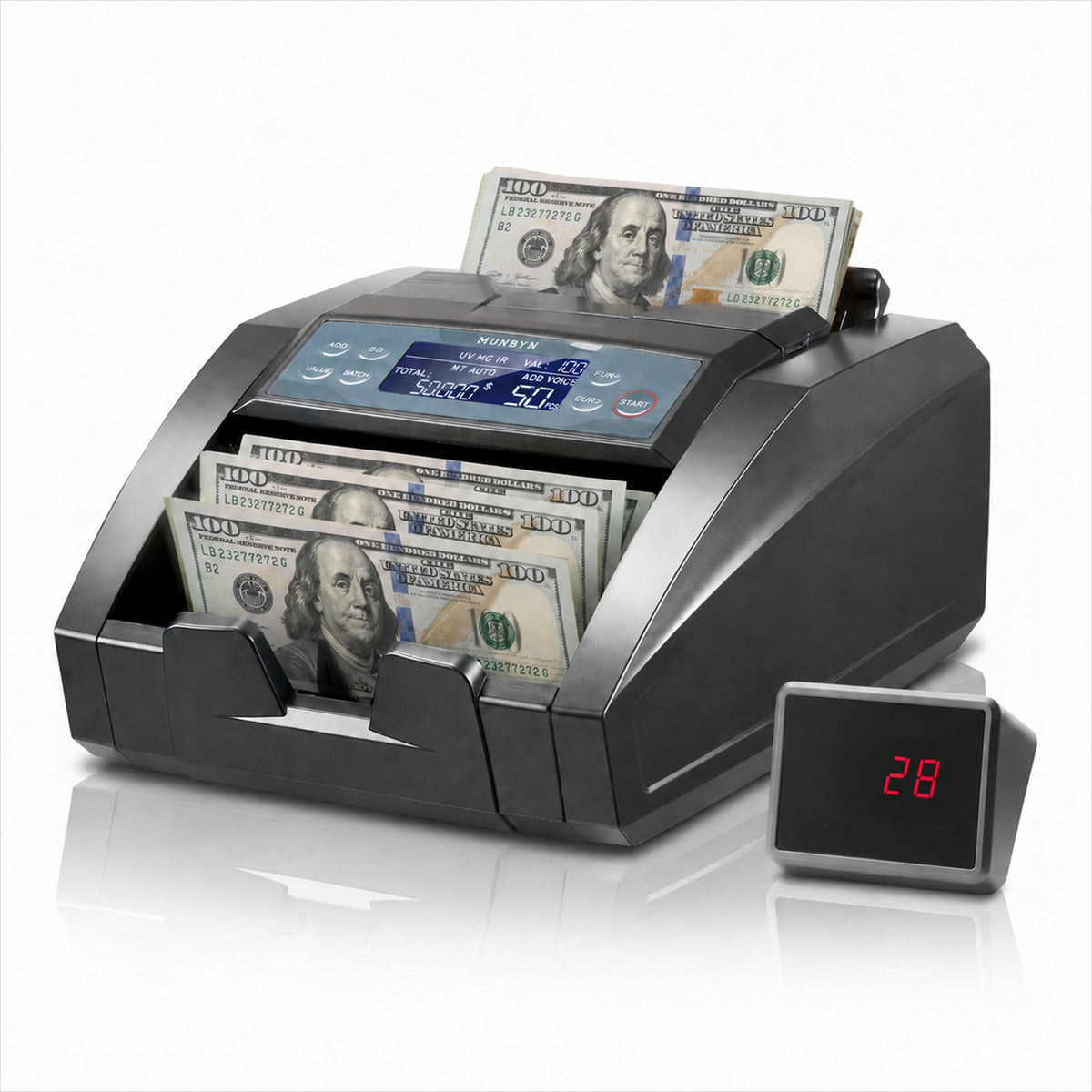






Speed up routine cash counts with the MUNBYN IMC27. It counts up to 1,000 bills per minute and helps total stacks that have already been sorted by denomination, making it a practical fit for registers, restaurants, offices, and daily cash reconciliation.
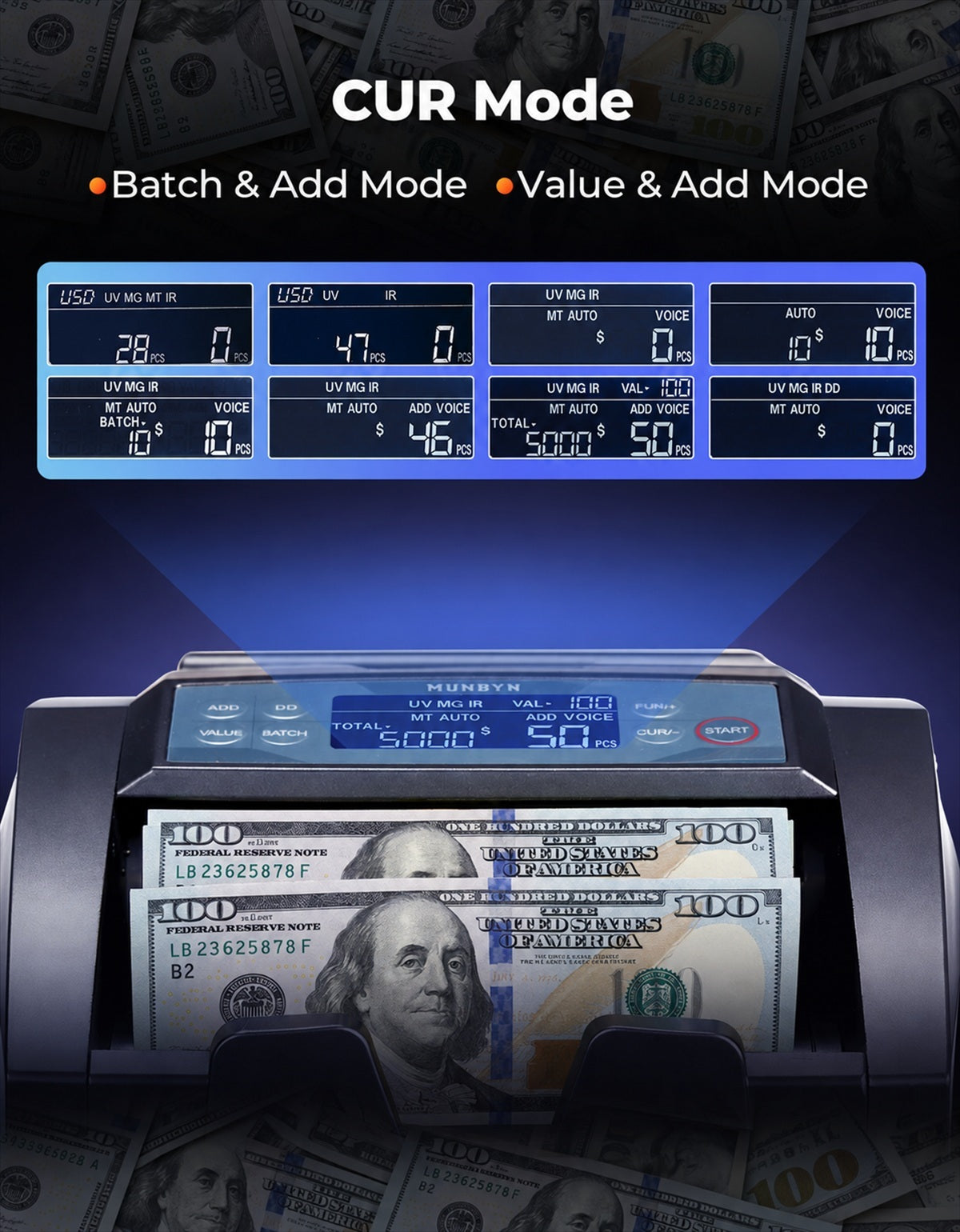
Select the denomination manually, then use VALUE mode to calculate the total for that stack. ADD combines results across multiple runs, BATCH stops at a preset quantity, and AUTO/MNL lets you choose how counting starts. The IMC27 does not automatically identify mixed denominations, so bills must be separated before value counting.
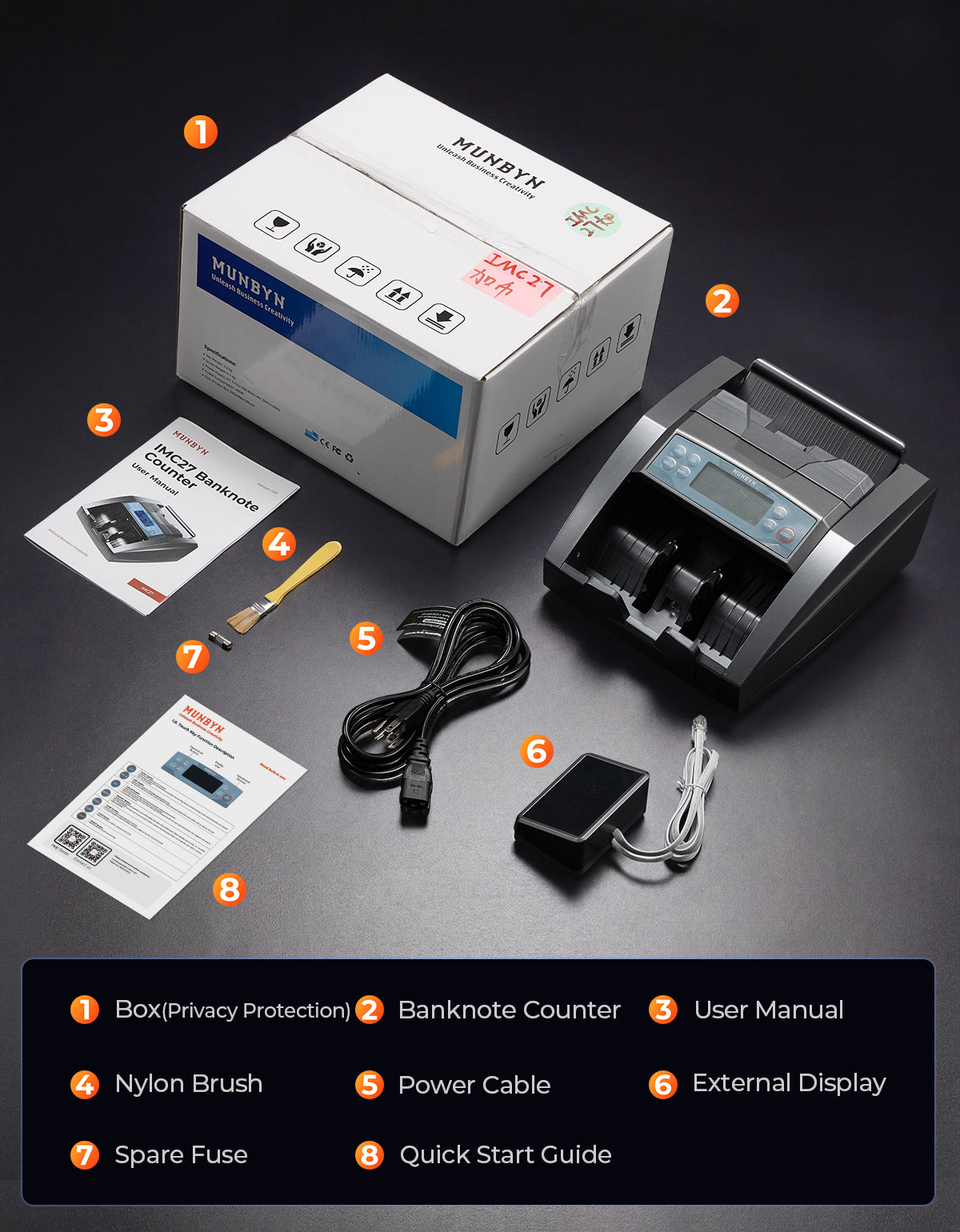
IMC27 bill counter, external LED display with RJ11 cable, power cable, nylon cleaning brush, spare fuse, user manual, and quick start guide.
Free Shipping on Orders Over $79*
Ships within 48 Hours.
14-day Risk-free Trial
2-Year Warranty & Lifetime Support
30-day Price-Match
Need help choosing the right product or placing an order?
Our MUNBYN support team is here to help. If you have any questions about products, compatibility, orders, or after-sales service, feel free to contact us at any time. We respond to all inquiries within 24 business hours (Monday–Friday).
Shipping Information
We offer free shipping straight to your door throughout the contiguous US*. It usually takes 2-5 business days* for your package to be delivered, so you can sit back and relax, worry-free.
*Please see our shipping policy for more details.
Help Center
Find everything you need in one place:
FAQ’s
Have a quick question?
Visit our FAQ page, which covers the most common topics, including:
If you can’t find the answer you’re looking for, our support team is always ready to help.
Still need assistance?
Contact Us at
Order: order@munbyn.com
Tech: support@munbyn.com
+1 628 229 3612
Mon - Fri: 7AM - 5PM (UTC-8)
Keep routine cash counts moving
A practical counting workflow for notes sorted by denomination.
Counting Speed
Up to 1,000/min
Process pre-sorted stacks with less manual counting.
Value Mode
Manual Denomination
Sort notes first, then select the denomination to calculate value.
Cash Preparation
ADD + BATCH
Combine multiple counts and stop at a preset note quantity.
Shared Visibility
External LED Display
Keep the count visible to a second viewer.

Product details

PROOF 01 /BUILT FOR SORTED CASH

PROOF 02 /CONTROLS FOR YOUR ROUTINE

PROOF 03 /CHECK AS YOU COUNT

PROOF 04 /A STEADIER COUNTING ROUTINE

PROOF 05 /SUPPORT FOR EVERYDAY USE

PROOF 06 /START WITH PROPER LOADING
Download Now >>


Please read our FAQs page to find out more.
Free shipping and returns